Automate Securely: DevOps & CI/CD on GCP Lab
Overview
Learn DevOps on GCP for automated app updates (CI/CD) and security by building a pipeline and covering GCP security basics.
What You'll Learn
- Using Cloud Shell to access git repos and edit code
- Setup SSH keys and add public key to Github
- Configuring databases via Cloud SQL
- Setting up CI/CD pipelines with Google Cloud Build
- Pushing docker images to Google Artifact Registry
- Securely injecting application secrets
- Deploying containerized applications to serverless environments
- Embracing Devops Best Practices
- Securing your application within GCP
Prerequisites
- Active Google account
- Basic understanding of cloud computing concepts
- Basic Linux knowledge
- Basic Git knowledge
Step 1: Activate Cloud Shell
Cloud Shell provides a command-line environment directly in your browser, with the gcloud SDK and other utilities pre-installed.
-
Open the Cloud Shell by clicking on the Activate Cloud Shell icon in the top-right corner of the console, as highlighted below.

-
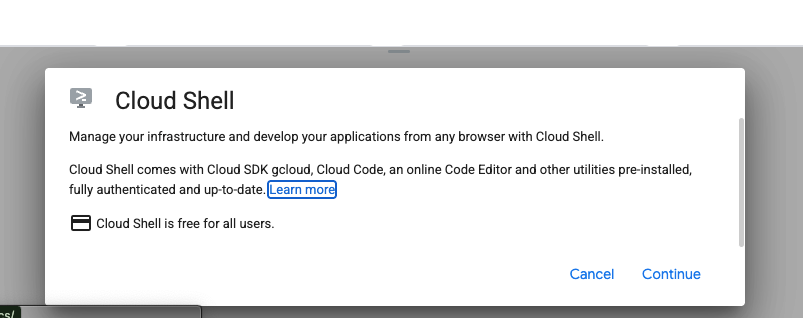
A new frame will open at the bottom of your window. Click Continue to proceed.
-
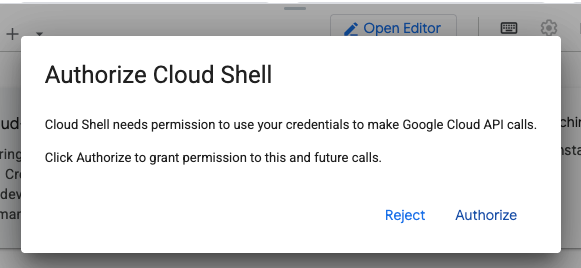
You will be prompted to grant Cloud Shell permission to use your account credentials to make API calls to Google Cloud. Click Authorize.
-
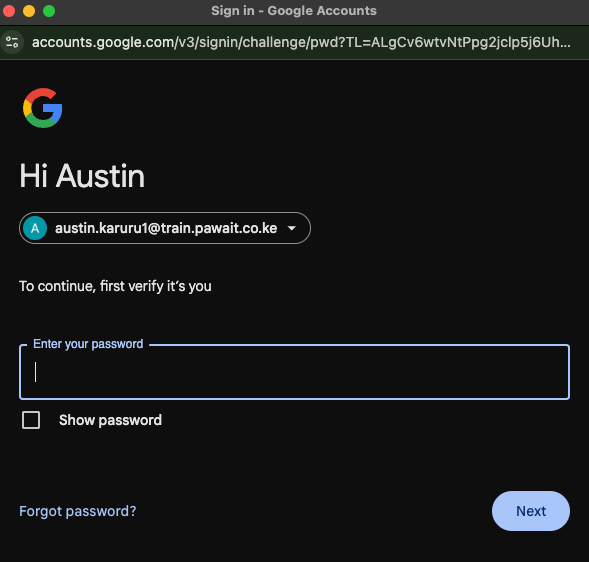
On some occasions, you may be asked to re-enter your password to continue.
Step 2: Open Cloud Shell in a New Tab
For a better experience, we will open the Cloud Shell in its own dedicated browser tab.
-
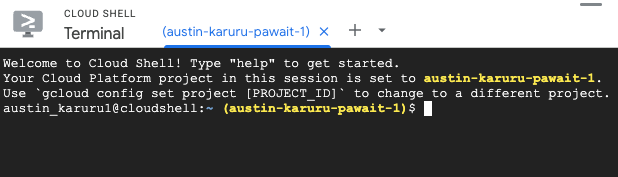
When the provisioning is complete, your Cloud Shell terminal is ready.
-
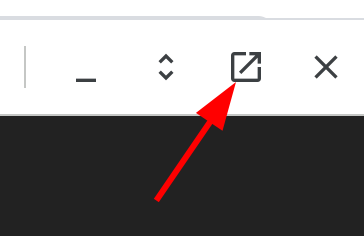
Click the Open in new window button to launch the Cloud Shell in a new tab.
-
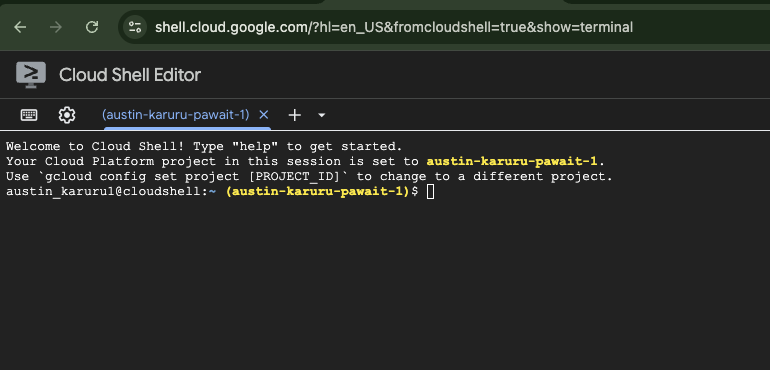
The Cloud Shell will now be open in a new, full-screen browser tab. You may be asked to Authorize again.
Next Steps
You are now ready for the next section! Your Google Cloud environment is prepared, and your Cloud Shell is active. In the next section, we will set up the Cloud SQL database.